
Software Complex «Ruscan Expert»
The «Ruscan Expert» software complex is designed for automatic lumber sorting by quality using machine vision and artificial intelligence methods.
Functional characteristics:
- Lumber quality automatic control
- Lumber analysis for defects: knots, fissures, pitch-pockets, rot, wane, etc.
- Geometric parameters evaluation (width, thickness, curvature).
- Sorting by GOST (State Standard) and other standards
- Possibility of customization to various quality standards (for example, GOST (State Standard) 8486-86).
- Flexible classification system depending on production requirements.
- High speed processing
- Real-time operation on conveyor lines (up to 3 m/sec).
- Simultaneous analysis of multiple boards.
- Integration with production systems
- Compatibility with sorting, marking and stacking lines.
- Generation of reports and statistics for product quality analysis.
- Machine vision technologies and AI
- Use of high-resolution cameras and deep learning algorithms.
- False positives minimization.
The software complex is suitable for enterprises that want to automate wood quality control and increase production efficiency.
Component description
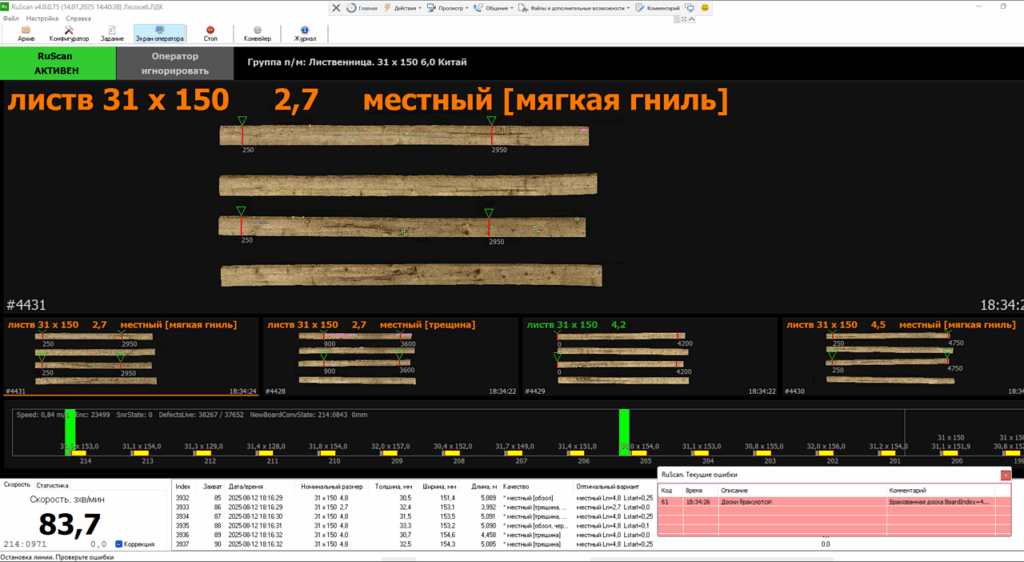
RuScan is the main program in the system, its functions include consolidation and processing of information received from BoardScan programs, which collect and process data from cameras. Based on the input data, RuScan, taking into account the specified tolerances, assigns quality to each board.
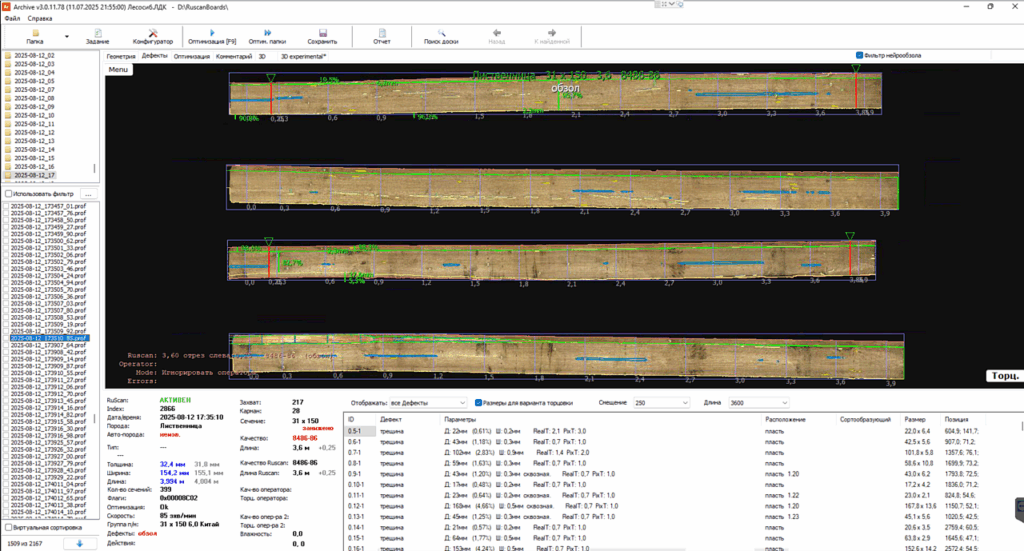
Archive is a program for viewing and analyzing boards that have passed through the scanner.
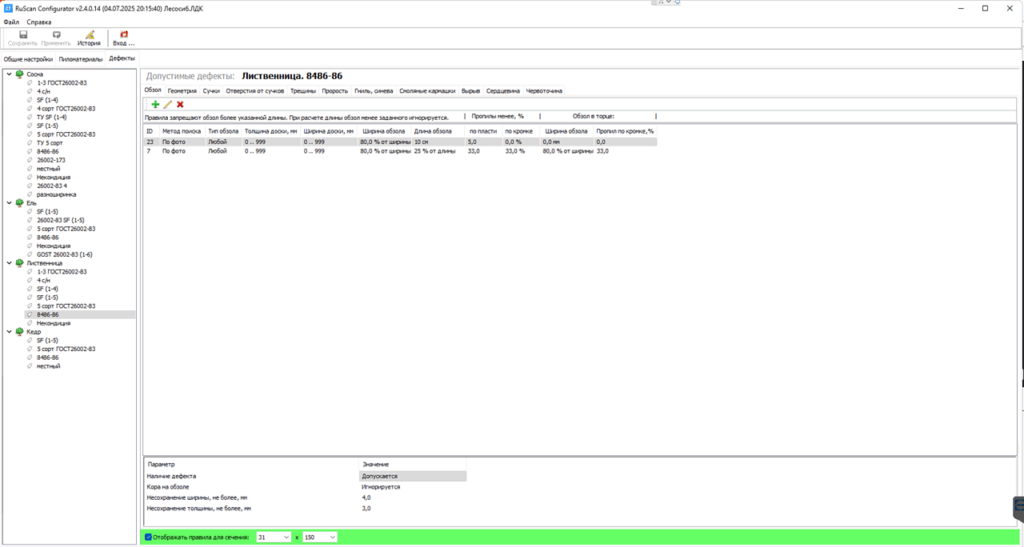
Configurator is a program for setting parameters and tolerances by which boards are sorted.
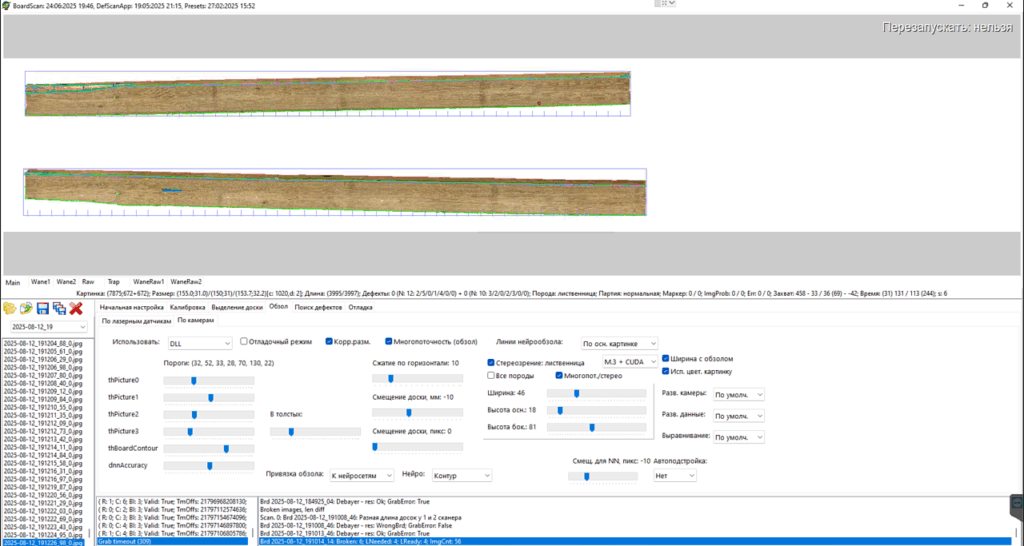
BoardScan is a program for collecting images from cameras, processing them, searching for defects and geometric parameters of the board.
Information required to install the software
- OS: Windows 10 or higher
- Disk space: 5 GB
- RAM: 8 GB
- Intel or AMD processor with a minimum frequency of 2 GHz
- Screen resolution of at least 1024×768
Information required to operate the software
- Unzip RuScan and Boardscan_sim
- In the plc_simulator.ini file (in the config folder), check the path to the saved boards for simulation: BoardDir=./SimulatorBoards/2023-01
- Run the plc_simulator.exe executable file.
- Run the ruscan.exe executable file.
- In the RuScan Simulator/Boardscan_sim folder, run the run_all.bat bat file to launch both BoardScan.exe programs, or run them separately using the Boardscan2.bat and Boardscan1.bat scripts.
- In the plc_simulator program, click the START conveyor button and the START feed button.
- After this, you will see the boards moving along the conveyor in the ruscan.exe program.
Procedure for maintaining the software life cycle
Troubleshooting Process (Support and Incident Management)
- Registration and Classification:
– All incidents and user requests are registered via technical support (technical support chat). - Diagnostics and Analysis:
– A support specialist reproduces the problem, analyzes logs, and identifies the software component that caused the issue.
– The root cause of the incident is determined. - Resolution and Escalation:
– Solutions to known problems are implemented promptly.
– Complex or new errors are passed to the development team for in-depth analysis and fix. - Patch Development and Testing:
– Developers create a software patch to resolve the defect.
– The patch undergoes a testing cycle to ensure its correctness and the absence of side effects. - Patch Implementation:
– The patch is deployed to the production environment in accordance with the update release schedule, often within the scheduled maintenance window. - Incident Closure and Verification:
– The incident is closed after confirmation from the user or monitoring that the problem has been solved.
The Software Improvement Process (Software Development)
- Requirements Collection and Analysis:
– Receiving improvement suggestions from users, the customer, the marketing department, and the development team.
– Feasibility analysis, assessment of labour content, and potential impact evaluation. - Prioritization and Planning:
– Creating a product backlog – an organized list of planned enhancements.
– Decisions about inclusion in upcoming releases are based on priority, resources, and strategic goals. - Design and Development:
– Creating technical specifications (TS) and developing architectural solutions.
– Direct implementation of new features by the development team. - Testing and Acceptance:
– All new features undergo comprehensive testing (functional, load, and acceptance) to ensure quality. - Release and Deployment:
– Preparing the software version for release: building, packaging, and creating user documentation.
– Deploying a new version to the production environment. A gradual implementation strategy can be used. - Feedback Collection and Monitoring:
– After the release, feedback on the usage of new features is collected, and performance and stability metrics are analyzed.
Information on personnel required to provide support
Support, bug fixing, and software improvement are provided by the software provider’s development team.